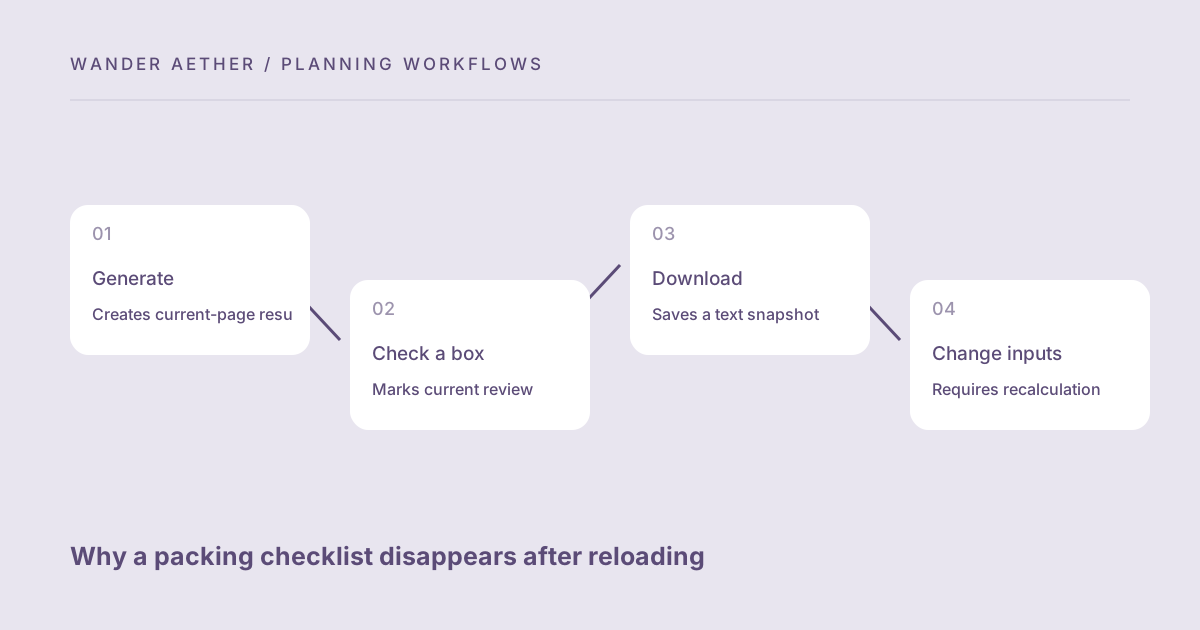
The packing builder keeps the active checklist in the page rather than automatically storing it on the device or in an account. This avoids leaving travel lists behind without an explicit action, but it means a reload can remove progress. If you expect a saved list and find a blank page, the next useful step is understanding the storage model and changing the workflow. This guide explains exports, checked-item state and the distinction between an editable page and a downloaded record.
Check what kind of save you expected
Generating a list creates a current-page result. Checking boxes marks progress in that result. Neither action creates an account record or a persistent device list. The Download text button is the explicit way to save a copy. The site does not claim to synchronize devices or restore previous versions. If you did not export before the page was reloaded, the tool has no stored list to retrieve. Regenerate using the same trip conditions, then review personal edits and physically confirm packed items rather than assuming old check marks still apply.
A checklist handoff between two people
If one person generates the list and another packs, download the current snapshot after reviewing the trip assumptions. The second person can use the text or printed copy and mark completion in their own record. An open browser tab on the first person's device does not synchronize those checks to the second device. Agree which record is the current one before packing shared items, and use the family responsibility method to assign ownership. If quantities change, send or share a new snapshot through your normal method and make the change clear. The site itself does not send messages or track recipients. This manual handoff is simple but needs version discipline: a checked old list can conceal a newly added quantity. A final physical review of shared items closes that gap. The tool's no-account design keeps generation accessible, while explicit exporting gives you control over where the checklist goes and how the group maintains it. Choose a dedicated shared checklist application when continuous synchronization is more important than this lightweight workflow.
For the next input check, use Packing List Builder. Its result should retain the assumptions described here.
Use a text export as a stable snapshot
The exported file includes the suggested item names, quantities and checked or unchecked markers at the time of download. It is a snapshot, not a live connection back to the page. Later changes to the browser checklist do not update an earlier file. Download a new version after important changes and give it a meaningful filename in your own file manager if needed. The tool does not import the text file as an editable checklist. You can read or edit it with an ordinary text editor or use it as a reference while regenerating the page.
Recalculate after changing trip assumptions
Changing duration, laundry, climate or traveler count makes the previous result stale. The interface disables export until you calculate again, so the new file reflects the current inputs. Recalculation creates a fresh checklist and does not preserve the earlier checked state. That is intentional because quantities or item types may have changed. Treat the new list as a review task: an item checked under the old plan may now need another unit. The physical packing state is the reliable reference, while checkbox state is only a record of your latest review.
A related planning question is covered in Using travel tools on a shared device without leaving unnecessary data.
Choose print or copy when those fit better
Printing can provide a paper checklist for packing away from a screen. Copying can place the result in your own notes application when clipboard access is permitted. Browser permissions and secure-context rules may block copying; the download remains available as an alternative. Neither method gives the site account synchronization. A printed page cannot reflect later edits automatically, and a copied note is another independent snapshot. Put a version date or clear trip label in your own saved record when several lists could otherwise be confused.
A case to check
Worked example: A traveler generates a seven-day list, checks ten item types and closes the tab without downloading. On reopening the page she sees the initial interface because no persistent list was saved. She regenerates the trip and physically checks those items again. This time she downloads the text after reviewing the complete bag. Later she changes laundry from every four days to no laundry, recalculates and sees larger quantities with fresh checkboxes. She saves a new snapshot after packing the extra sets. The earlier file remains a record of the earlier assumptions, not the current plan.
Reference table
| Item or scenario | Value or choice | What to remember |
|---|---|---|
| Generate | Creates current-page result | No automatic persistence |
| Check a box | Marks current review | Can disappear after reload |
| Download | Saves a text snapshot | No live updates or import |
| Change inputs | Requires recalculation | Old progress may no longer fit |
| Print or copy | Independent record | Manage versions yourself |
Before you finish
- Download or print before relying on a completed checklist later.
- Review physical items after regenerating a lost page result.
- Recalculate when trip assumptions change.
- Save a fresh snapshot after important quantity changes.
- Keep version labels outside the tool if multiple lists exist.
Your next step
This storage model is deliberately simple and transparent. If you need shared, continuously synchronized task management, use a suitable notes or checklist application for the exported list. Wander Aether supplies the trip-specific starting inventory and arithmetic; you choose how to keep the record.
Continue with Building a day itinerary as a time budget. When your plan needs the next calculation, open Travel Time Zone Converter and carry over only the inputs appropriate to that tool.