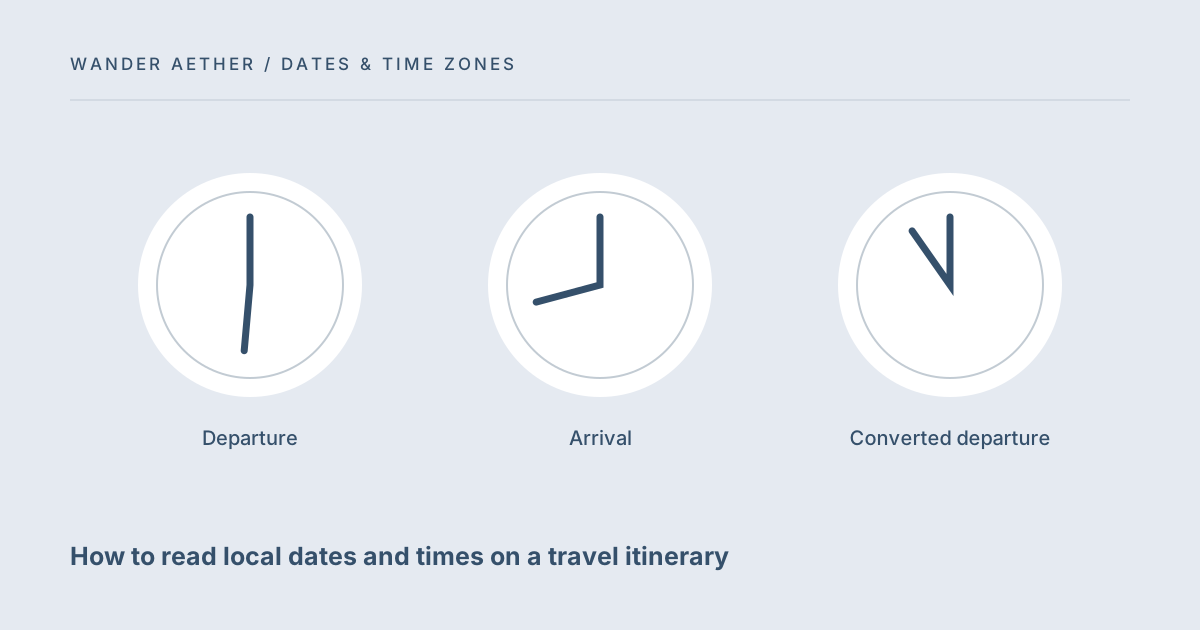
A travel itinerary often shows several local clocks on one page. A departure time belongs to the departure location; an arrival time generally belongs to the arrival location. The same numeral can refer to different moments, and the same journey can cross into a different calendar day. This guide helps you label those moments before using the converter. Always check the wording and time-zone information supplied by the booking provider for the particular itinerary.
Attach a place and date to every clock time
Copy the date and time together with the relevant city or time zone. A note that says only 09:30 is incomplete when several destinations are involved. Avoid abbreviations that have multiple meanings, and use named IANA zones such as Asia/Ho_Chi_Minh or Europe/London in the tool. A city label and a full date help another traveler understand the plan without assuming your current device location. If a booking explicitly uses a different clock convention, retain that convention and ask the provider to clarify rather than silently rewriting it.
Convert one event at a time
A departure event and an arrival event are different moments. Converting the departure time into the destination zone tells you what the destination clock reads when you depart; it does not tell you when the journey arrives. To compare an actual arrival, convert the separately stated arrival date and time too. This distinction matters when arranging pickups or messages to people at home. The converter is an event-clock translator, not a flight-duration estimator. It uses your browser's time-zone data and does not read or validate any booking.
For the next input check, use Travel Time Zone Converter. Its result should retain the assumptions described here.
Keep date changes visible
Some converted events fall on the previous or following date. Copy the full output rather than only the hour and minute. For an arrival pickup, send the destination-local date as well as the time and the itinerary reference through your usual communication channel. Calendar applications can make this easier if the event has the correct zone, but a screenshot or handwritten note may hide that zone. Review what the receiver will actually see. A correct calculation becomes an incorrect instruction when the date is cropped out of the message.
Separate itinerary interpretation from elapsed time
Once both events have been identified as exact moments, you can compare their UTC timestamps to reason about elapsed time. Do not subtract the printed local clock readings directly. A journey from 22:00 to 06:00 may be short or long depending on dates and zones. The tool displays UTC for each converted event so the reference moment is explicit. Check all legs independently, especially connections with their own dates. Any discrepancy between your calculation and the booking should be resolved with the provider, not guessed away as a normal time-zone effect.
A related planning question is covered in Planning one remote meeting across travel time zones.
A pickup message that can be checked
Before sharing an arrival note, read it as someone who has not seen your itinerary. It should identify the arrival city, the destination-local calendar date and clock time, and which event the time refers to. A converted home-time line can be included separately for relatives, but it must not replace the pickup clock. If you send a screenshot, ensure the full date and relevant city remain visible. A cropped arrival time can look like a departure time or lose a next-day marker. Update the message when the booking changes and make clear which version is current. The converter does not notify recipients or synchronize their notes. For a journey with a connection, check that you are sharing the final arrival rather than an intermediate one. This communication check is independent of arithmetic: a perfectly converted timestamp can still create a failed pickup if it is attached to the wrong leg. Keeping event labels beside each conversion makes the final message both readable and reviewable.
Worked example
Worked example: An itinerary states departure from Ho Chi Minh City at 22:00 on 10 October and arrival in London at 06:00 on 11 October. Enter the departure in Asia/Ho_Chi_Minh and convert to Europe/London; save the full destination date and time. Then make a second conversion using the London arrival as the source event and Asia/Ho_Chi_Minh as the destination. These are two calculations because they describe two events. To message someone at home about landing, use the second conversion. To schedule a message before takeoff in London time, use the first. You still confirm the arrival information with the carrier because the tool has no live flight data.
Reference table
| Item or scenario | Value or choice | What to remember |
|---|---|---|
| Departure | Departure-local date + clock | An event at the origin |
| Arrival | Arrival-local date + clock | A separate event at the destination |
| Converted departure | Same instant, new clock | Not the arrival time |
| UTC output | Reference timestamp | Useful for comparing exact moments |
Before you finish
- Copy dates together with every booking time.
- Label each event with its location or named zone.
- Convert departures and arrivals as separate events.
- Share the full converted date rather than a bare clock reading.
- Confirm ambiguous booking wording with the provider.
Your next step
Use the timezone converter to create clear event notes, then use the date counter for your accommodation and packing calendar. These tools answer different questions: one translates a moment between clocks, while the other counts an inclusive range of calendar dates. Keeping those questions separate removes much of the confusion in overnight itineraries.
Continue with Overnight journeys: travel days are not hotel nights. When your plan needs the next calculation, open Trip Budget Planner and carry over only the inputs appropriate to that tool.
Time-zone reference
The IANA Time Zone Database explains the source of place-based clock rules. This site uses the data available in your browser, not a live database download.